Author name: Productpageservices@gmail.com

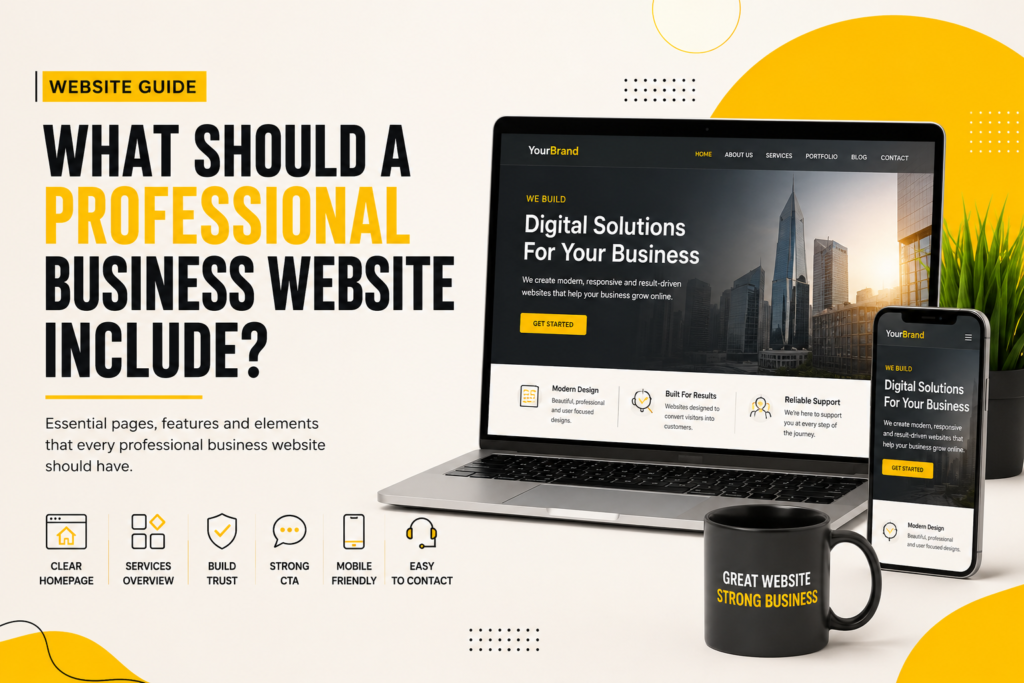
Professional business website design showing essential website pages, features, mobile-friendly design and clear calls to action
Business Growth

What Should a Professional Business Website Include?

Book a Call Book a Call BUSINESS WEBSITE GUIDE What Should a Professional Business Website Include? Discover the essential pages, sections, trust elements, calls to action and design features that can make your business website professional, clear and easy to use. Product Page World • Website Design • 8 min read Website Essentials Build around your business and your customers. A professional website should make your business clear, credible and easy to contact. A professional business website is more than just a homepage with your company name, services and contact details. Your website should clearly explain who you are, what your business offers, why customers should trust you and what they should do next. For many potential customers, your website is their first interaction with your business. A well-planned business website design can make your company look credible, communicate your services clearly and make it easier for visitors to contact you. But what exactly should a professional business website include? Let’s look at the essential elements every business should consider when planning a new website. Your website should answer three questions quickly. Who are you? What do you offer? And what should the visitor do next? 1. A Clear and Professional Homepage The homepage is usually the first page visitors see, so it needs to communicate your business quickly. A professional homepage should explain who you are, what you offer and how someone can get started. ✓ A clear and relevant headline ✓ Short introduction to your business ✓ Main products or services ✓ Key benefits and differentiators ✓ Testimonials or trust elements ✓ A strong call-to-action A clear homepage helps visitors understand your business quickly. 2. A Clear Services or Products Section One of the most important parts of a professional business website is a clear explanation of what you offer. If your business provides multiple services, don’t simply list them in one paragraph. Create a clear section that allows visitors to understand each service. 01 Clear Service Names Help visitors immediately understand what your business provides. 02 Useful Descriptions Explain what each service does and who it is for. 03 Clear Next Step Give visitors an easy way to enquire or get started. 3. Dedicated Service Pages A common mistake businesses make is putting every service on one page. If you offer several important services, dedicated service pages can create a much better website structure. Home → Services → Service Page → Contact Each important service page can explain the service, benefits, features, process, frequently asked questions and the next step for potential customers. 4. An About Us Page People don’t only want to know what you sell. They also want to know who they’re dealing with. An effective About Us page can introduce your company, team, experience, values and approach. The goal is to build familiarity and trust without overwhelming visitors with your entire company history. 5. A Strong Contact Page A website isn’t very useful if visitors can’t easily contact your business. Your Contact Us page should make getting in touch simple. ✓ Contact form ✓ Phone number and email ✓ Business address ✓ Business hours ✓ Location map where relevant ✓ Preferred contact options Make it easy for potential customers to take the next step. 6. Clear Calls to Action Every professional business website should guide visitors toward a specific action. This is where calls to action become important. → Get a Free Consultation → Request a Quote → Book a Call → Get Started Your CTA should match the goal of the page and tell visitors exactly what they can do next. 7. Customer Testimonials and Reviews Visitors may be interested in your services, but they may still have one important question: Can I trust this business? Testimonials and customer reviews can help answer that question. A professional website can include genuine customer feedback, reviews, case studies, project results or client logos where appropriate. 8. Trust-Building Information A professional business website should provide enough information for visitors to feel confident about contacting you. ✓ Years of experience ✓ Certifications or awards ✓ Client logos where appropriate ✓ Case studies and testimonials 9. Mobile-Friendly Website Design A professional website should work properly across smartphones, tablets, laptops and desktop computers. Your business website design should be responsive so visitors can navigate the website, read content, use buttons and complete forms comfortably on different screen sizes. 10. Simple and Easy Navigation Good website navigation helps visitors find information without confusion. Home About Services Portfolio Contact If visitors have to think too much about where to click, your navigation probably needs improvement. Keep your main menu simple and organize additional information into logical page groups. 11. A Professional Visual Design The appearance of your website influences how people perceive your business. A professional website design should have consistency across colors, fonts, buttons, images, spacing, headings and section layouts. Your website should also reflect your brand. A law firm, restaurant, construction company, fashion brand and technology company may all require completely different visual styles. 12. High-Quality Images and Visual Content Images can make a business website more engaging, but they should serve a purpose. Use relevant images for products, services, team members, projects, locations, work examples and brand identity. Avoid using random stock images simply to fill empty space. 13. A Portfolio or Work Showcase If your business provides creative, professional or project-based services, a portfolio can be one of the most valuable sections of your website. A portfolio allows potential customers to see what you have actually done. Depending on your business, you can showcase previous websites, branding projects, construction projects, interior projects, photography, design work or completed client projects. 14. Frequently Asked Questions A FAQ section can answer common questions before a visitor contacts you. Focus on real questions your customers commonly ask. 01 What do you provide? Clearly explain your main services or products. 02 How do I get started? Explain the first step a potential customer should take. 03 How can I contact you?
How to choose a web design agency for your business and build a professional website
Business Growth, Website Development, website-design

How to Choose a Web Design Agency for Your Business

Book a Call Book a Call WEB DESIGN GUIDE How to Choose a Web Design Agency for Your Business Choosing the right web design agency can have a major impact on your business. Learn what to check before hiring a website design company, from portfolio and pricing to process, communication and support. Product Page World • Web Design • 8 min read Before You Hire Compare more than just the price. Portfolio, process, communication, deliverables and support all matter. Choosing the right web design agency is an important decision for any business. Your website is often the first place where potential customers learn about your company, services, products and brand. But with so many web design companies, website development agencies and freelancers available, choosing the right one can be difficult. The cheapest option isn’t always the best option, and the most expensive agency isn’t automatically the right one either. The right web design agency should understand your business before designing your website. Look for an agency that understands your goals, audience, requirements and the type of website your business actually needs. 1. Understand What Your Business Needs From a Website Before contacting a web design agency, first decide what you want your website to achieve. A business website can have different purposes. You may want your website to generate leads, receive enquiries, sell products, showcase services, build credibility, display a portfolio or allow customers to book appointments. ✓ Generate leads and enquiries ✓ Sell products or services ✓ Build business credibility ✓ Showcase your portfolio ✓ Allow customers to book appointments ✓ Present your services professionally Start by defining what your website needs to achieve. 2. Check the Web Design Agency’s Portfolio One of the first things you should check when choosing a web design company is its portfolio. Don’t just look at whether the websites look attractive. Look for projects that demonstrate professional website design, mobile-friendly layouts, clear navigation, strong branding and good user experience. A good portfolio gives you an idea of what the website design agency is capable of producing. Don’t ask only: “Does their work look good?” Ask: “Can this agency build the type of website my business actually needs?” 3. Look for Experience in Your Industry Industry experience can be useful because different businesses have different website requirements. 01 Service Businesses Often need service pages, lead forms, testimonials, location information and easy contact options. 02 E-commerce Businesses May require product pages, shopping carts, payment gateways, order management and product filtering. 03 Professional Businesses Often need company information, services, team profiles, case studies and enquiry forms. 4. Ask How Their Website Design Process Works A professional web design company should have a clear process. Before hiring an agency, ask: “What happens after I sign up?” Understanding the process helps you know what to expect throughout the website project. 01 Discovery Understanding your business, audience, competitors, goals and website requirements. 02 Design Creating layouts, visual direction, typography, branding and user interface designs. 03 Development Turning the approved website design into a functional and responsive website. 04 Testing Checking pages, links, forms, devices, browsers and important website functionality. 05 Launch Publishing the website and completing final pre-launch and post-launch checks. 06 Support Understanding what support and maintenance options are available after the website goes live. 5. Don’t Choose an Agency Only Because of Price Website design pricing can vary significantly. You may find very cheap website packages as well as premium website design services. But price alone doesn’t tell you whether an agency is right for your business. Instead, compare what is actually included in the website package. ✓ Number of website pages ✓ Custom or template design ✓ Responsive website design ✓ Content and images ✓ Website development ✓ Post-launch support 6. Understand What Is Included in the Website Package Before signing an agreement with a website design agency, ask for a clear list of deliverables. Clear deliverables make a website project easier to manage. 7. Check Whether the Website Will Be Mobile-Friendly A modern business website needs to work properly on smartphones, tablets, laptops and desktop computers. Before hiring a web design company, ask whether the website will be fully responsive. ✓ Mobile-friendly navigation ✓ Responsive typography ✓ Properly sized buttons ✓ Optimized images and layouts 8. Ask About Website Ownership This is an important question that businesses sometimes forget. Before hiring a website development company, understand who will own and control your website. ✓ Domain ✓ Hosting account ✓ Website files ✓ Website content and assets 9. Ask About Website Maintenance and Support Launching your website isn’t necessarily the end of the project. Websites may require ongoing updates, security checks, backups, content changes and technical maintenance. Ask one simple question before hiring: “What happens after my website goes live?” 10. Check Communication Before Hiring Good communication can make a website project much easier. Before hiring a website design company, pay attention to how they communicate during the initial discussion. ✓ Do they listen to your requirements? ✓ Do they explain things clearly? ✓ Do they provide realistic timelines? ✓ Do they explain pricing and deliverables? 11. Ask About the Website Timeline Don’t assume every website can be completed in the same amount of time. A simple business website may have a very different timeline from a large e-commerce website or custom web application. Ask your web design agency how long your website is expected to take and what factors could affect the timeline. 12. Look at Reviews and Client Feedback Client reviews can provide useful information when choosing a web design agency. Don’t only look at the overall rating. Look for comments about communication, quality of work, deadlines, responsiveness and support after launch. 13. Ask the Right Questions Before Hiring a Web Design Agency Before making your final decision, ask the agency clear questions about the project. Question Why Ask It? Will my website design be custom or template-based? Helps you understand the design approach. Will the website be fully responsive? Ensures a better

Website design and development strategy to turn website visitors into customers
Website Development, website-design

Website Design & Development: How to Turn Website Visitors Into Customers

Book a Call Book a Call WEBSITE DESIGN & DEVELOPMENT How to Turn Website Visitors Into Customers A website should do more than look professional. Discover how website design, development, SEO, UX and conversion optimization can work together to turn website visitors into real leads and customers. Product Page World • Website Growth Guide • 8 min read Design + Strategy Build a website that doesn’t just attract visitors — it guides them toward action. A website is more than an online presence. For a growing business, it can become one of the most important tools for generating leads, building trust and increasing sales. But simply having a beautiful website is not enough. Your website needs to communicate your value clearly, create confidence and make it easy for visitors to take the next step. A high-converting website doesn’t try to convert everyone. It makes it easier for the right visitors to understand your offer, trust your business and take meaningful action. What Is a High-Converting Website? A high-converting website is designed around a clear business objective. Depending on your business, that objective could be generating leads, receiving enquiries, booking consultations, increasing online sales or collecting qualified customer information. This is where conversion-focused website design becomes important. Instead of designing pages only for appearance, every important element has a purpose. 01 Attract Use SEO, content and digital marketing to bring the right visitors to your website. 02 Engage Use strong messaging, UX and useful content to keep visitors interested. 03 Convert Guide qualified visitors toward an enquiry, purchase, booking or other business goal. 1. Start With a Clear Value Proposition One of the biggest website design mistakes businesses make is forcing visitors to work too hard to understand what they offer. When someone lands on your homepage, they should quickly understand what you do, who you help and why your offer matters. Your homepage should answer three questions: ✓ What do you offer? ✓ Who is it for? ✓ Why should visitors choose you? ✓ What should they do next? 2. Design Around User Intent Good UI/UX design isn’t just about colors, animations, fonts and attractive layouts. It is about understanding what the visitor is trying to accomplish. A person searching for website design services may be looking for a provider, while someone searching for website conversion tips may be researching a problem. Your content and landing pages should match that intent. Effective website design combines visual hierarchy with user experience. 3. Make Website Navigation Simple Visitors shouldn’t need to explore your entire website just to figure out where to go. Your navigation should make important pages easy to discover. Depending on the business, important pages may include Home, About, Services, Portfolio, Case Studies, Blog and Contact. Discovery → Understanding → Trust → Action A clear website structure helps visitors move through the buying journey without unnecessary friction. 4. Build Trust Before Asking for the Sale People rarely make important buying decisions based on design alone. They want evidence that your business can deliver what it promises. Useful trust signals include: ✓ Customer testimonials ✓ Case studies and results ✓ Client logos and portfolio work ✓ Clear service information 5. Create Strong Calls to Action A call-to-action tells visitors what they can do next. Instead of relying on generic buttons such as “Click Here” or “Submit”, use CTAs that communicate the value or next step clearly. → Get a Free Audit Useful for visitors who want to understand what’s holding their website back. → Book a Strategy Call A strong option for high-intent visitors who want direct guidance. → View Our Work Helps visitors evaluate your experience before contacting you. 6. Make Your Website Mobile-Friendly A modern website needs to provide a smooth experience across smartphones, tablets and desktop computers. Responsive web design should provide readable text, comfortable spacing, simple navigation, accessible buttons, optimized images and forms that are easy to complete on smaller screens. Responsive web design should work naturally across different screen sizes. 7. Website Speed Matters A visitor shouldn’t have to wait around for your website to become usable. Large images, unnecessary scripts, excessive animations and inefficient code can all affect website performance. Website performance should therefore be considered during website development rather than treated as an afterthought. 8. Use SEO to Attract the Right Visitors A beautiful website doesn’t automatically generate organic traffic. Search Engine Optimization helps search engines understand your pages and helps potential customers discover your business. Important SEO elements include: ✓ SEO-friendly page titles ✓ Logical heading structure ✓ Internal linking ✓ Helpful, relevant content 9. Build Landing Pages for Specific Campaigns Sending every advertising visitor to your homepage isn’t always the best strategy. A dedicated landing page can be built around a specific service, product, audience, offer or advertising campaign. Ad → Landing Page → Offer → CTA Keeping these elements connected makes the visitor’s journey easier to understand and can reduce unnecessary friction. 10. Use Content to Answer Buying Questions Your website shouldn’t only talk about your business. It should also help potential customers make better decisions. Useful content can include how-to guides, FAQs, comparison articles, case studies, pricing explanations, service guides and industry insights. Helpful content can support both SEO visibility and customer decision-making. Website Design + SEO + CRO: A Complete Growth System Think of your website as three connected systems. 01 SEO Brings relevant visitors to your website through organic search. 02 UX & Design Helps visitors understand your business and navigate the experience. 03 CRO Helps qualified visitors move toward enquiries, purchases and other actions. How to Measure Website Performance Don’t judge your website only by how it looks. Track meaningful business metrics that connect website activity with actual results. ✓ Organic traffic ✓ Qualified leads ✓ Conversion rate ✓ Form submissions and enquiries ✓ Sales and revenue ✓ Landing page performance Final Thoughts A successful website isn’t simply a collection of attractive pages. It’s a carefully planned customer journey. SEO helps people discover you. Website design

Scroll to Top